
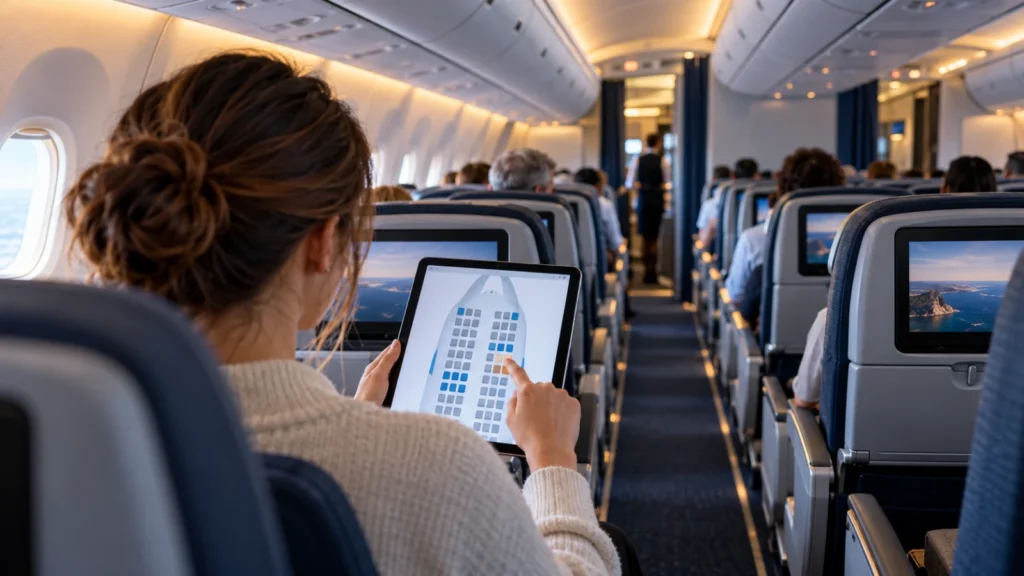
An airline seat map can help you avoid a missing window, a busy galley or a seat that does not recline. It can also mislead you if you match the wrong aircraft configuration or treat unavailable seats as proof that the flight is full.
The safest approach uses two views: the airline’s live map for your exact flight and a detailed aircraft diagram for geometry and cabin features. Neither view is enough on its own.
Quick Answer
- Match the airline, date, flight number, aircraft type and configuration.
- Read the cabin from front to back, noting exits, bulkheads, lavatories, galleys and bassinets.
- Compare pitch, width and recline separately; none is a complete measure of comfort.
- Use the airline map for current selection and a detailed diagram such as AeroLOPA for physical context.
- Recheck after schedule changes, at check-in and before boarding because aircraft assignments can change.
What an airline seat map can and cannot tell you
A seat map is a diagram of the passenger cabin. Row numbers, seat letters and aisle breaks reveal the basic layout. Better maps also place windows, exit doors, lavatories, galleys, bassinets and storage areas.
The map does not prove which seats have been sold. Airlines may block seats for families, airport control, crew needs or operational reasons. A gray seat can mean occupied, blocked or simply unavailable to your fare. Use it to choose among seats you can select, not to predict how empty the flight will be.
Start with the exact aircraft configuration
Find the scheduled aircraft in the airline app or booking details, then compare the row count and cabin boundaries with the diagram. A Boeing 777 or Airbus A321 name is only the beginning. One airline may operate several versions with different seat counts, premium cabins and exit locations.
Flight number helps, but routes can use different equipment by date. AeroLOPA supports flight-number and date search and can identify the matching aircraft configuration while showing alternative layouts used by the airline. Confirm the result against the airline’s live map before paying for a seat.
Read the rows before choosing a seat letter
Bulkheads and exit rows
A bulkhead has a wall or cabin divider in front instead of another seat. It can remove a seatback under which to store a bag during takeoff and landing. Tray tables may sit in fixed armrests, and bassinet positions can bring infants nearby. Exit rows can provide more space, but eligibility rules apply and recline may be limited in the row ahead of an exit.
Lavatories, galleys and cabin traffic
Seats beside a lavatory or galley can experience queues, light, door noise and service activity. That may matter little on a short daytime flight and much more overnight. The first row behind a galley may also have a bulkhead rather than open foot space.
Windows that do not align
The word “window” describes the seat position, not the view. Window spacing follows the aircraft fuselage, while seat rows follow the airline’s layout. A detailed diagram can reveal a blank wall or a window that sits behind your shoulder.
Pitch, width and recline measure different things
Pitch is the distance from one point on a seat to the same point on the seat ahead. It approximates row spacing, not usable legroom. Width is commonly measured between armrests. Recline describes how the seat moves, but the experience also depends on seat shape, the row behind and whether the armrests are fixed.
In premium cabins, geometry matters even more. Direct aisle access, seat angle, footwell size and divider position can change within one cabin. The guide to best business class seats covers those product-specific decisions.
A five-minute seat-check workflow
- Open the flight in the airline’s site or app and note the aircraft.
- Open the live seat-selection map and note row counts, exits and cabin breaks.
- Find the matching configuration on the airline’s fleet page or AeroLOPA.
- Eliminate rows with trade-offs you care about, such as missing windows, fixed armrests or galley traffic.
- Compare the remaining aisle, middle and window positions with your sleep, mobility and companion needs.
- Check whether your fare includes selection. The difference between basic economy and standard economy may affect when or whether you can choose.
- Save the seat confirmation, then recheck the assignment later.
If you are still comparing flights, the Google Flights search workflow can narrow the schedule before you investigate each aircraft. Keep the seat tool separate from the booking source; our guide to travel planning tools explains why one app rarely does every job well.
Common mistakes
- Looking up the aircraft model but not the airline-specific configuration.
- Using an old SeatGuru result after the service stopped updating and closed.
- Assuming a window seat has a well-positioned window.
- Treating blocked seats as sold seats.
- Choosing an exit row without checking eligibility, storage and recline trade-offs.
- Paying for a seat and never checking it after an aircraft or schedule change.
FAQ
Which airline seat map is most accurate?
The airline’s live map is authoritative for current seat selection, while a maintained aircraft diagram can show more physical detail. Match both to the exact flight and date.
Is SeatGuru still available?
No. Tripadvisor announced that SeatGuru was closing in October 2025, after its seat maps had already gone years without meaningful updates. Current alternatives include airline maps and AeroLOPA.
Does an empty seat map mean an empty flight?
No. Some passengers have not selected seats, and airlines can block inventory. Seat-map appearance is not a dependable load forecast.
Can the airline change my paid seat?
Operational changes can lead to a different aircraft or assignment. Keep the receipt, monitor the booking and review the airline’s refund terms if the purchased seat type is not delivered.
When should I recheck my seat?
Check after any schedule notice, when check-in opens and again before boarding. A better seat may open, or an equipment change may alter the cabin.
Conclusion
An airline seat map is most useful when you verify the exact configuration, read the cabin features and then confirm the live assignment with the airline. Choose for your own priorities, save the confirmation and recheck before departure.
Last updated: November 2, 2026. Aircraft assignments, cabin layouts and seat-selection rules can change. Verify the current flight in the operating airline’s site or app.